Reset Epson ET-2850 Waste Ink Pad Counter Without Official Service under Linux
This week end a friend of mine gave me a printer that refuse to print. Strange world where Earth is dying slowly and printers are programmed to stop working after a while.
So I decided to change some bits in this printer’s EEPROM and let it print again.
- printer: EPSON ET-2850
- software: WIC https://www.wic.support
Step 1: make WIC access to USB port
WIC seems to be quite old and relies on usblp module (that creates /dev/usb/lp0 node). This is not the default driver on Ubuntu 24 (the version I’m using), so we’ll have to force this module to be used:
Disable ipp-usb service and load usblp module
sudo systemctl stop ipp-usb
sudo systemctl mask ipp-usb
sudo modprobe usblp
Then unplug and plug the printer again => ls /dev/usb/lp* should give a result (typically /dev/usb/lp0, created by usblp).
Give access to printer for user
It’s non safe to run this program as root (especially as this is not an open-source software), so we’ll want to use it as normal user. To do so we’ll add a udev rule that gives us the permission to access to this port:
sudo nano /etc/udev/rules.d/99-epson-usblp.rules
ACTION=="add", SUBSYSTEM=="usb", ATTR{idVendor}=="04b8", ATTR{idProduct}=="118b", RUN+="/bin/sh -c 'echo 1 > /sys/\$devpath/authorized; modprobe usblp', MODE="0666", GROUP="lp"
=> note that you’ll have to be part of lp group (sudo usermod -a -G lp $(whoami))
Save the file, and reload udev:
udevadm control --reload-rules
Unplug and plug the printer again and you should be able to read from the device as regular user: cat /dev/usb/lp0 should return something (probably random characters).
Step 2: Use WIC to reset counters
- download WIC for Linux from https://www.wic.support/download
- install it (or expand it direclty as archive if - like me - you’ve dependencies problems)
-
start it
~/Downloads/wicreset/usr/bin/wicreset - some images are not loaded but this doesn’t prevent the global process to be acheived
-
errors in logs can be ignored
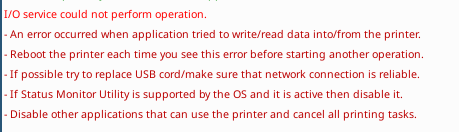
- you can test to set waste couners to 80% using “trial” serial code, then read waste counters again
-
if this test works you can go ahead and buy a one-time license for your printer
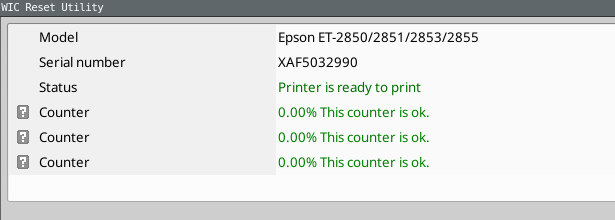
Step 3: re-enable ipp-usb service
To make the print system working again we do not want continue using usblp.
rmmod usblp
sudo systemctl unmask ipp-usb